
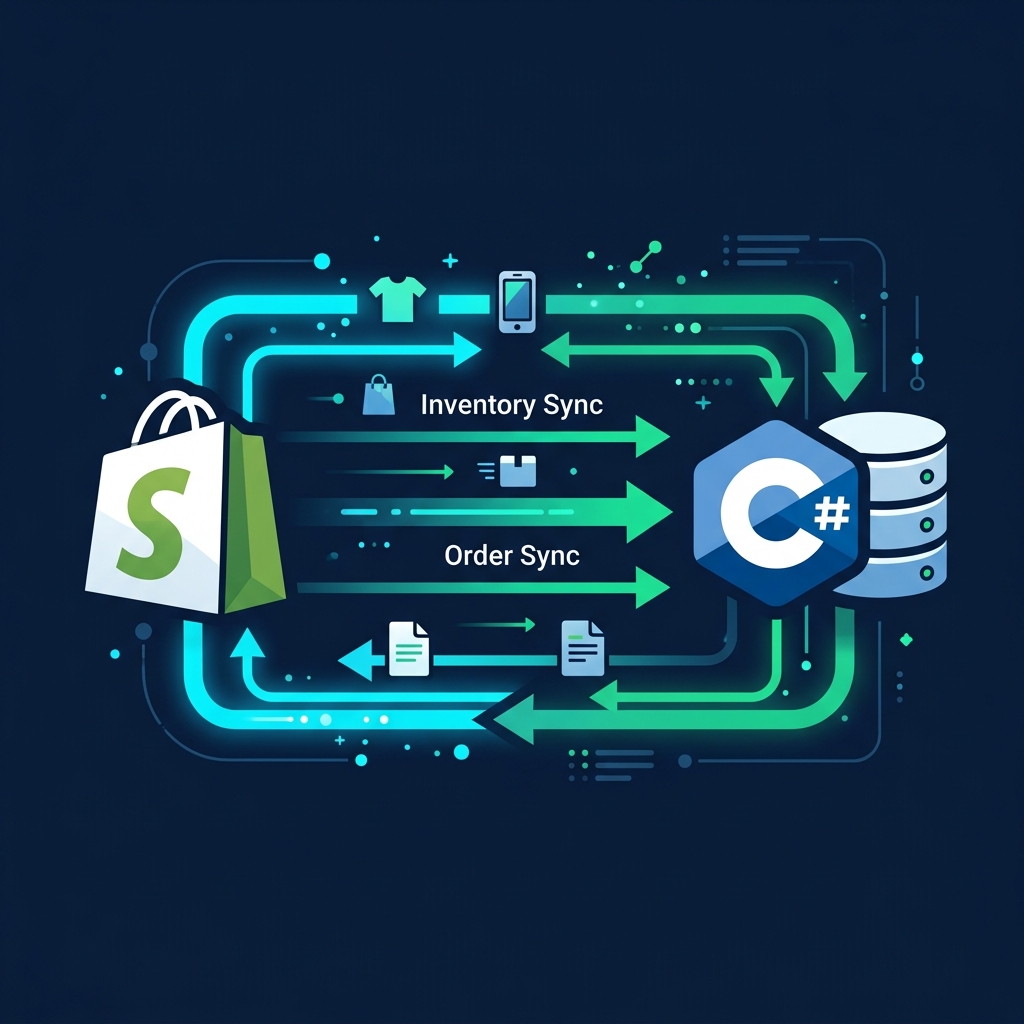
For expanding enterprises, Shopify is the absolute center of customer acquisition, checkout, and store management. However, as business scales, standard storefront setups hit major operational limits. Custom supply chains, proprietary warehouse inventory tracking, multi-carrier shipping schedules, and financial ledger databases cannot live exclusively in a SaaS silo. To run a seamless operation, e-commerce data must flow instantly between Shopify and your custom C#/.NET backend ERP.
Relying on manual imports or sluggish, ready-made connector plugins introduces order latency, inventory desynchronization, and customer friction. To achieve real-time synchronization, enterprise engineering teams build **custom C#/.NET API middleware**. Using .NET 9, Webhooks, and Shopify’s GraphQL Admin API, developers can orchestrate high-throughput sync pipelines that handle thousands of orders during peak sales seasons without a single data drop.
The Danger of Inventory Desynchronization
Imagine a flash sale where 100 units of a popular item are available. If your custom warehouse ERP and Shopify are not synced in real time, you risk overselling. Overselling leads to backorders, refunds, and lost customer trust. A custom C# middleware protects your brand by executing atomic stock adjustments, instantly updating Shopify's inventory levels the millisecond a physical item is scanned in your warehouse.
1. The Live Data-Router Diagram
Rather than abstract explanations, below is the real-time pipeline layout. The C# middleware operates as a decoupled event-hub, isolating your database from Shopify's public webhooks:
Shopify Plus
Customer Checkout & Inventory Variants
ASP.NET Core Ingestion
HMAC Validation, Memory Queue Channels & Polly Back-Off Policies
Custom ERP
Warehouse databases (PostgreSQL/SQL Server)
2. The High-Performance E-Commerce Pipeline
A production-ready e-commerce integration must handle transactions asynchronously to prevent server blockages during high-traffic spikes. Below is the step-by-step breakdown of how data moves safely:
Step 1: Ingestion & HMAC Verification
A customer completes a purchase on Shopify. Shopify fires an HTTP POST webhook (e.g. orders/create) containing the order details. The C# middleware validates the payload's authenticity using SHA256 HMAC verification.
Step 2: Buffer Queue & 200 OK Response
To prevent Shopify from retrying or timing out, the middleware writes the validated order payload to an in-memory queue (like System.Threading.Channels) and instantly returns an HTTP 200 OK response to release the thread.
Step 3: Background ERP Processing & Allocation
An asynchronous C# BackgroundService reads the order from the queue, matches products to warehouse inventory, reserves stock in the SQL database, and routes the order to dispatch.
Step 4: Outbound Inventory & Shipping Sync
When the item is shipped, a background service uses Shopify’s GraphQL API to create a fulfillment record, append tracking codes, and push the adjusted stock levels back to the storefront.
3. Verifying Shopify Webhook HMAC Signatures in C#
Every webhook Shopify sends includes an X-Shopify-Hmac-SHA256 header. This signature is generated using your store's shared secret and the request body. If you do not verify this signature, attackers can send fake order payloads to your endpoint and manipulate your inventory systems.
using System.Security.Cryptography; using System.Text; using Microsoft.AspNetCore.Mvc; using Microsoft.AspNetCore.Mvc.Filters; public class ShopifyWebhookVerifyAttribute : ActionFilterAttribute { private readonly string _webhookSecret = "YOUR_SHOPIFY_WEBHOOK_SECRET"; public override async Task OnActionExecutionAsync(ActionExecutingContext context, ActionExecutionDelegate next) { var request = context.HttpContext.Request; if (!request.Headers.TryGetValue("X-Shopify-Hmac-SHA256", out var hmacHeader)) { context.Result = new UnauthorizedResult(); return; } request.EnableBuffering(); using var reader = new StreamReader(request.Body, Encoding.UTF8, leaveOpen: true); var rawBody = await reader.ReadToEndAsync(); request.Body.Position = 0; var keyBytes = Encoding.UTF8.GetBytes(_webhookSecret); var bodyBytes = Encoding.UTF8.GetBytes(rawBody); using var hmac = new HMACSHA256(keyBytes); var computedHashBytes = hmac.ComputeHash(bodyBytes); var computedHmac = Convert.ToBase64String(computedHashBytes); if (hmacHeader.ToString() != computedHmac) { context.Result = new UnauthorizedResult(); return; } await next(); } }4. Updating Stock Levels via Shopify GraphQL Admin API
While Shopify's REST API is simple, it is highly throttled and deprecated for advanced inventory management. To update inventory in high-volume stores, your C# middleware must communicate with **Shopify’s GraphQL Admin API**. GraphQL allows us to modify specific inventory quantities using a single API call instead of querying multiple endpoints.
using System.Net.Http.Headers; using System.Text; using System.Text.Json; public class ShopifyInventoryService { private readonly HttpClient _httpClient; private const string AccessToken = "shpat_your_admin_access_token"; public ShopifyInventoryService(HttpClient httpClient) { _httpClient = httpClient; _httpClient.DefaultRequestHeaders.Add("X-Shopify-Access-Token", AccessToken); _httpClient.DefaultRequestHeaders.Accept.Add(new MediaTypeWithQualityHeaderValue("application/json")); } public async Task<bool> UpdateInventoryQuantityAsync(string inventoryItemId, string locationId, int newQuantity) { var query = @" mutation inventorySetOnHandQuantities($input: InventorySetOnHandQuantitiesInput!) { inventorySetOnHandQuantities(input: $input) { inventoryAdjustmentGroup { createdAt } userErrors { field message } } }"; var variables = new { input = new { reason = "correction", locationId = locationId, setQuantities = new[] { new { inventoryItemId = inventoryItemId, quantity = newQuantity } } } }; var requestBody = new { query, variables }; var jsonPayload = JsonSerializer.Serialize(requestBody); var content = new StringContent(jsonPayload, Encoding.UTF8, "application/json"); var response = await _httpClient.PostAsync("https://your-store.myshopify.com/admin/api/2026-07/graphql.json", content); if (response.IsSuccessStatusCode) { var jsonResponse = await response.Content.ReadAsStringAsync(); return !jsonResponse.Contains("userErrors\":[{\""); } return false; } }5. Core Synchronization Mapping Matrix
When designing custom middleware, it is essential to map the relationships between Shopify’s entities and your local database tables to ensure data integrity during sync operations:
| Shopify Entity | Local ERP Entity | Sync Key Identifier | Execution Pipeline Type |
|---|---|---|---|
| Order (Paid) | Sales Order / Dispatch Sheet | Shopify Order ID (e.g. #1001) | Real-time Webhook |
| Product Variant | Inventory SKU / Product Master | SKU Code (e.g. TSHIRT-BLU-L) | Bidirectional API Sync |
| Customer Profile | Customer Account / Ledger | Email Address / Phone Number | Deduplicated API mapping |
| Fulfillment Status | Delivery Dispatch Tracker | Tracking Number (e.g. FedEx / UPS) | Outbound API trigger |
6. Handling Shopify API Leaky Bucket Rate Limits
Shopify implements a **Leaky Bucket** rate-limiting algorithm for its Admin APIs. For standard REST APIs, you receive a limit of 40 requests per second, which refills at a rate of 2 requests per second. If your sync engine floods the API with updates, you will hit an HTTP 429 response, stopping data flow.
To prevent sync outages, your C# integration must run a throttling policy. The code example below integrates **Polly** to capture HTTP 429 responses, inspect the Retry-After header, and pause the thread dynamically before resuming the sync queue:
using Polly; using Polly.Retry; public class ResilientShopifyClient { private readonly HttpClient _client; private readonly AsyncRetryPolicy<HttpResponseMessage> _rateLimitPolicy; public ResilientShopifyClient(HttpClient client) { _client = client; _rateLimitPolicy = Policy .HandleResult<HttpResponseMessage>(r => r.StatusCode == (System.Net.HttpStatusCode)429) .WaitAndRetryAsync(3, (retryAttempt, response, context) => { var retryAfterHeader = response.Result?.Headers.RetryAfter; var delay = retryAfterHeader?.Delta ?? TimeSpan.FromSeconds(Math.Pow(2, retryAttempt)); return delay; }, async (response, timeSpan, retryCount, context) => { await Task.CompletedTask; }); } public async Task<HttpResponseMessage> ExecuteRequestWithRetryAsync(HttpRequestMessage request) { return await _rateLimitPolicy.ExecuteAsync(async () => { using var requestCopy = await CloneHttpRequestMessageAsync(request); return await _client.SendAsync(requestCopy); }); } private async Task<HttpRequestMessage> CloneHttpRequestMessageAsync(HttpRequestMessage req) { var clone = new HttpRequestMessage(req.Method, req.RequestUri) { Version = req.Version }; foreach (var prop in req.Options) clone.Options.Set(new HttpContextOptionKey<object>(prop.Key), prop.Value); foreach (var header in req.Headers) clone.Headers.TryAddWithoutValidation(header.Key, header.Value); if (req.Content != null) { var contentBytes = await req.Content.ReadAsByteArrayAsync(); clone.Content = new ByteArrayContent(contentBytes); foreach (var header in req.Content.Headers) clone.Content.Headers.TryAddWithoutValidation(header.Key, header.Value); } return clone; } }Architect's Tip: Use Shopify Webhook Delivery Delay Logging
Shopify does not guarantee instant delivery of webhooks; network delays can sometimes hold payloads for seconds or minutes. Always log the timestamp of when the order was created in Shopify and compare it against the timestamp of when your C# API received it. Monitoring this delay helps you track ingestion latency and debug processing pipelines.
Partner with Krista Technology for High-Performance E-Commerce Integrations
Integrating enterprise Shopify stores with custom .NET business architectures requires deep API experience, concurrent system design, and proper cloud setups. At Krista Technology, we are a Microsoft Solutions Partner helping companies automate billing, sync inventory pipelines, and orchestrate custom portals connected directly to Shopify, WooCommerce, and custom ERPs.
If you want to build a custom sync portal, automate your bookkeeping pipelines, or hire a team of dedicated integration developers, contact our dedicated .NET Integration Engineers today for a technical assessment and a custom integration estimate.