
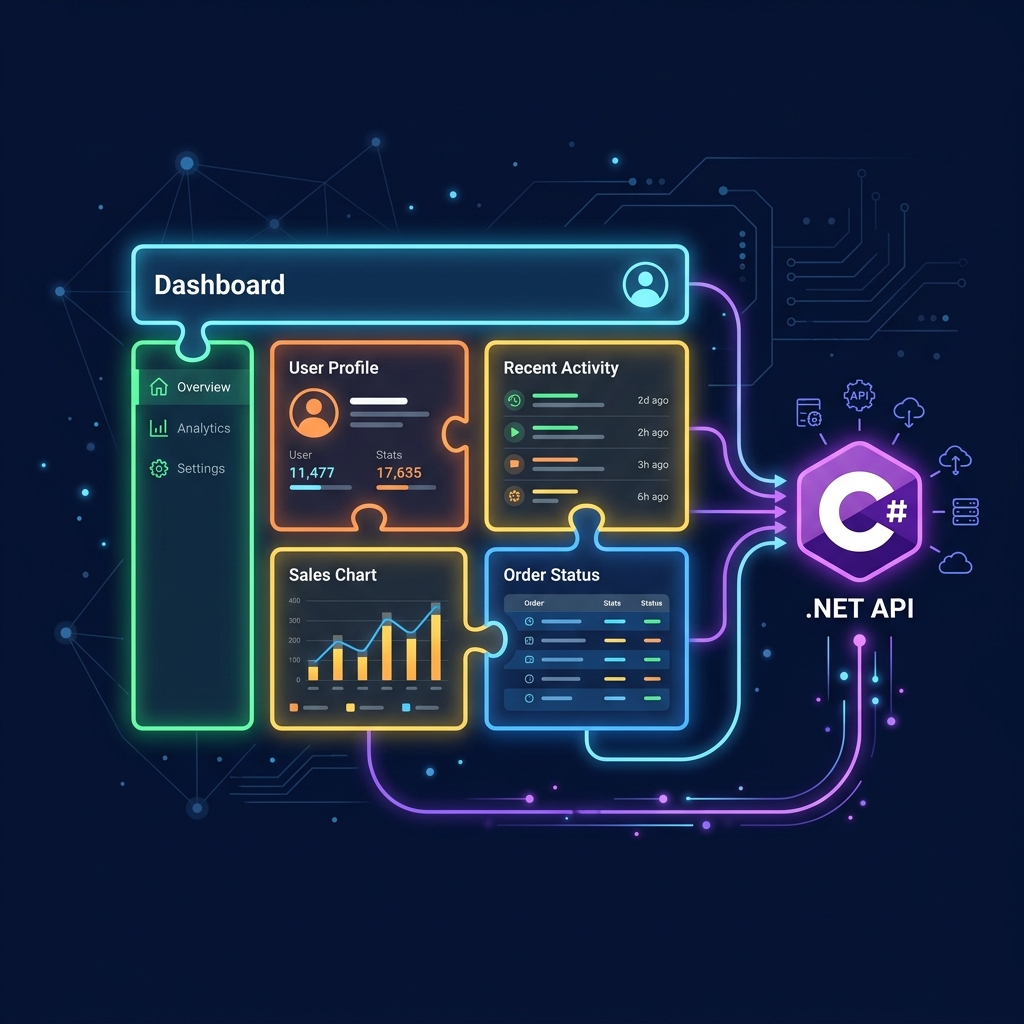
As digital platforms scale, the size of software engineering teams inevitably grows. While splitting backend systems into C# microservices has become standard practice, many companies make the mistake of keeping a single, massive monolithic frontend codebase. Having 30+ frontend developers pushing code, merging conflicts, and running unified build pipelines in a single React or Next.js repository destroys release velocity and introduces massive deployment risks.
To maintain startup speed at enterprise scale, software architectures are shifting to Micro-Frontends. Using Next.js Module Federation, teams can break down a giant web portal into independent, isolated sub-applications (like Dashboard, Billing, and User Settings). Each sub-app is owned by a separate team, built in its own Git repository, and deployed to production in seconds without touching or rebuilding the main host application.
What is Module Federation?
Module Federation is a JavaScript architecture that allows a web application to dynamically load compiled code from another server at runtime. Instead of bundling all pages into a single giant build package, the host app pulls the dashboard module from Server A and the checkout page from Server B directly on the client's browser, sharing dependencies like React dynamically to keep load times ultra-fast.
1. The Host Shell & Remote App Orchestration
A micro-frontend application consists of a main host container (the shell) and multiple independent remote micro-apps running on separate sub-domains:
Next.js Host Shell
Acts as the parent layout wrapper. Manages shared global state, user session auth headers, navigation bars, and routing tables.
Dashboard Service
Handles analytics charting, live telemetry maps, and vehicle lists. Connects directly to high-throughput C# SignalR APIs.
Billing & Checkout
Manages user checkout flows, subscription plans, and Stripe integrations. Deployed securely on PCI-DSS certified domains.
Profile & Account
Manages profile information, dynamic user notification preferences, and corporate user roles.
2. Monolithic Frontend vs. Micro-Frontend Architecture
Understanding how modularizing your user interface prevents developer merge conflicts and accelerates deploy speeds:
Unified Codebase Model
A change in the profile page settings requires rebuilding the entire checkout system.
Independent Sub-Apps
The checkout team can deploy updates 10 times a day without coordinating with other developers.
3. Dynamic Module Loading Lifecycle
When a user visits a micro-frontend website, the browser dynamically negotiates and loads modules in four runtime steps:
Initial Handshake
The browser loads the Next.js Host Shell. Only the critical shell assets are downloaded initially.
Remote Manifest Check
When navigating to `/billing`, the shell fetches the remote entry manifest file from the isolated billing server.
Dependency Sharing
Module Federation compares dependency versions. If both host and remote use React 18, React is loaded only once.
Runtime Injection
The billing react component is injected and compiled dynamically into the screen container, ready for user interaction.
4. Microservice API Gateway Integration
While frontends are split at the browser layer, they must communicate securely with backend systems. The recommended approach is deploying an API Gateway in front of your C# microservices:
| Frontend App | Authentication Protocol | Backend .NET Core Service |
|---|---|---|
| Dashboard Remote Module | OAuth2 Access Tokens + WebSockets (mTLS validated) | Real-time GPS Telemetry & SignalR Hub Microservice. |
| Checkout & Stripe Module | OAuth2 Scopes + PCI-DSS row-level encryption | Payment Processing and Ledger C# microservice. |
| Account Profile Module | JSON Web Tokens (JWT) verification | Identity and User Management C# microservice. |
Architect's Tip: Use Shared Design System Libraries for Visual Consistency
Because separate remote modules are built by separate teams, there is a risk that buttons, fonts, and colors might start looking different across pages. To prevent this, build and publish a private Shared Design System library (as a custom npm package). Host and remote apps import this library, ensuring 100% visual consistency globally.
Partner with Krista Technology to Scale Your Software Systems
Building enterprise-grade micro-frontend solutions, configuring Module Federation pipelines, and integrating them securely with ASP.NET Core microservices requires senior-level software engineering expertise. At Krista Technology, we are a Microsoft Solutions Partner helping businesses modularize legacy monolith portals, configure independent CI/CD pipelines, and scale high-performance web systems globally.
If you want to transition your platform to micro-frontends, optimize your frontend load times, or hire a team of dedicated Next.js and .NET developers, contact our dedicated Solution Architects today for a free technical consultation and architecture estimation.